

coding-lab
coding-lab is a self-hosted open-source platform on which coding agents such as Claude Code and Codex work on your Git repositories – interactively or on their own, steered from your smartphone.

coding-lab · Open source
Coding agents on your server. Steered from your smartphone.
coding-lab is a self-hosted server on which coding agents such as Claude Code and Codex work on your Git repositories, interactively or entirely on their own. You review the results as a pull request, on your laptop or on the go.
- Claude Code and Codex
- Forgejo and GitHub
- Self-hosted
- Secrets stay protected
- Licence
- AGPL-3.0
- Installation
- A single Go binary
- Runs on
- Any Linux server
Features
What coding-lab can do.
Everything coding agents need in day-to-day development, without handing over your credentials.
Interactive sessions
Every session works in its own Git worktree on its own branch. You steer the agent through the built-in chat and answer its questions directly.
- A branch of its own for every session
- Chat with tool steps and questions
- In a container or directly on the host
- Sessions survive restarts and deployments
AFK runs
Give an issue the label “ready-for-agent”. An agent solves it on its own and opens a pull request that you can merge, even from your smartphone.
Your issue tracker
coding-lab works with Forgejo and GitHub. Repositories without a forge get a built-in tracker with issues, labels, a diff view and merge.
Secrets stay secret
Credentials are stored encrypted in a vault (AES-256-GCM). API keys reach a session without the agent ever seeing them in plain text.
Incognito mode
Per repository, agent-written content stays neutral: inconspicuous branch names, cleaned-up descriptions and a check before every push.
Several agents
Claude Code and Codex are built in. Further providers can be connected through a single adapter, without rebuilding the rest of coding-lab.
Easy to run
coding-lab runs on any Linux server and needs no further infrastructure.
| Installation | A static Go binary with a built-in interface |
| Database | SQLite or PostgreSQL |
| Monitoring | Health and metrics endpoints |
| NixOS | A NixOS module of its own |
| Notifications | Push, when installed as an app |
AFK runs
How an AFK run works.
From the issue to the merge, without you having to sit at your computer.
Label the issue
You describe the task as an issue and give it the label “ready-for-agent”.
The agent takes over
coding-lab creates a branch and starts a session with an access token that is valid for this one repository only.
Pull request
The agent solves the issue and opens a pull request that references the issue.
Review and merge
You review the changes and merge, on your laptop or your smartphone. Unfinished work is parked, never deleted.
Insights
coding-lab on your smartphone.
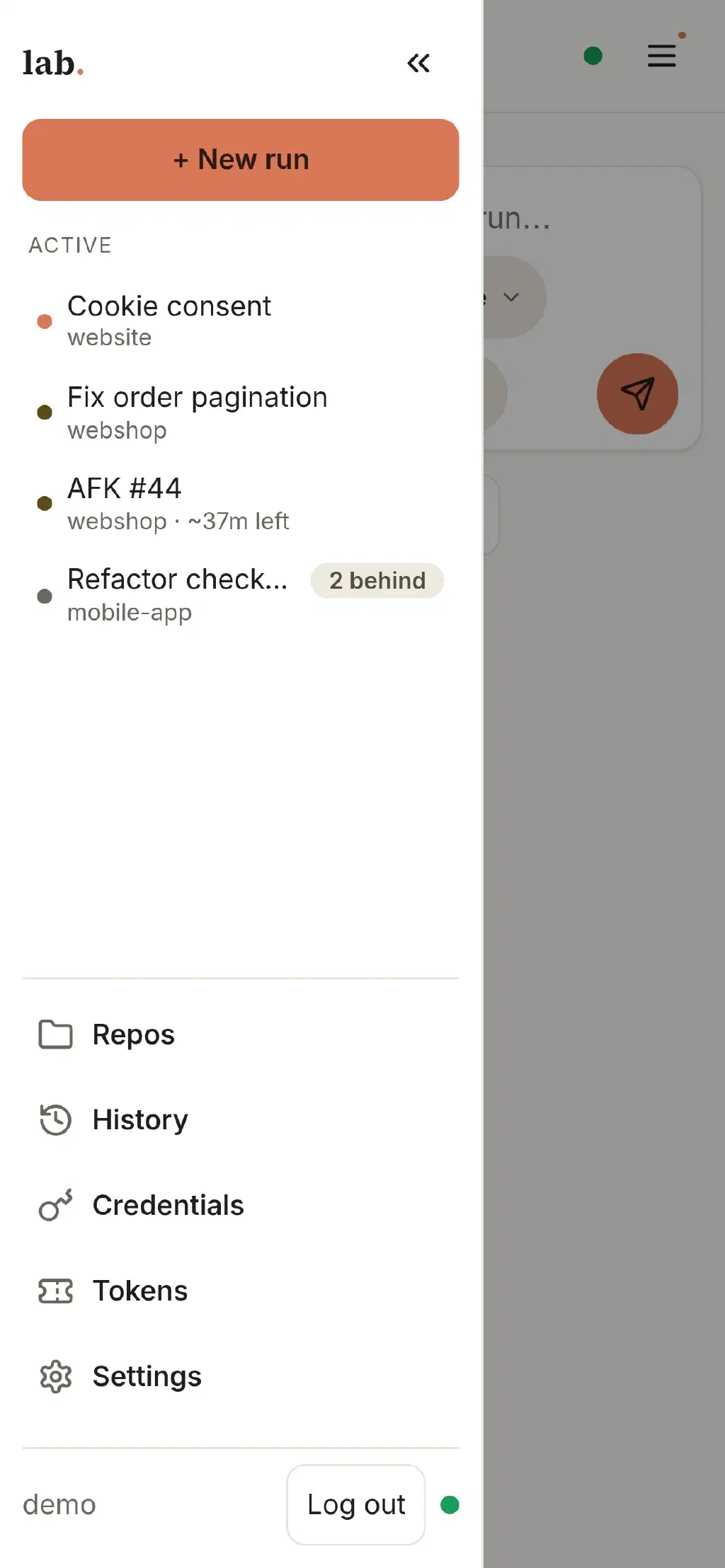
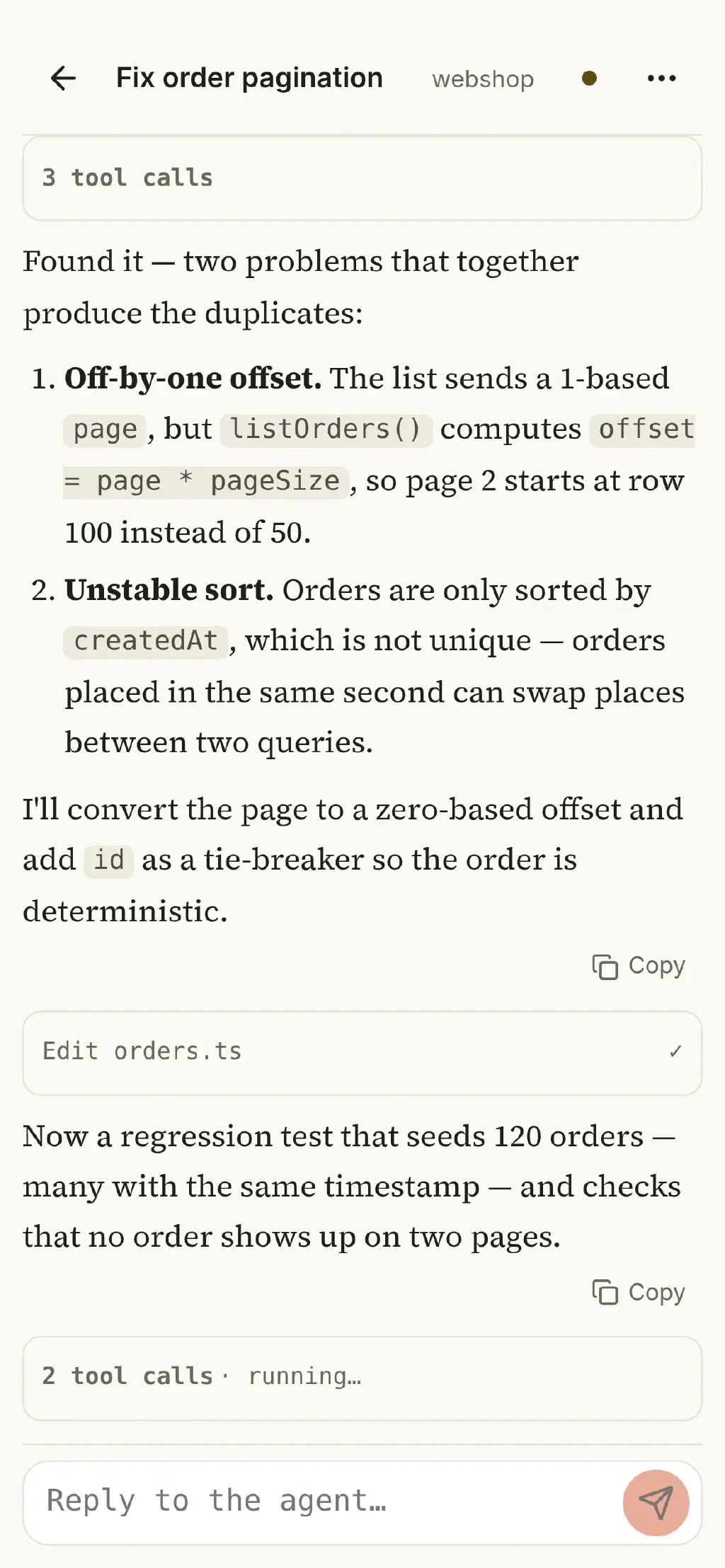
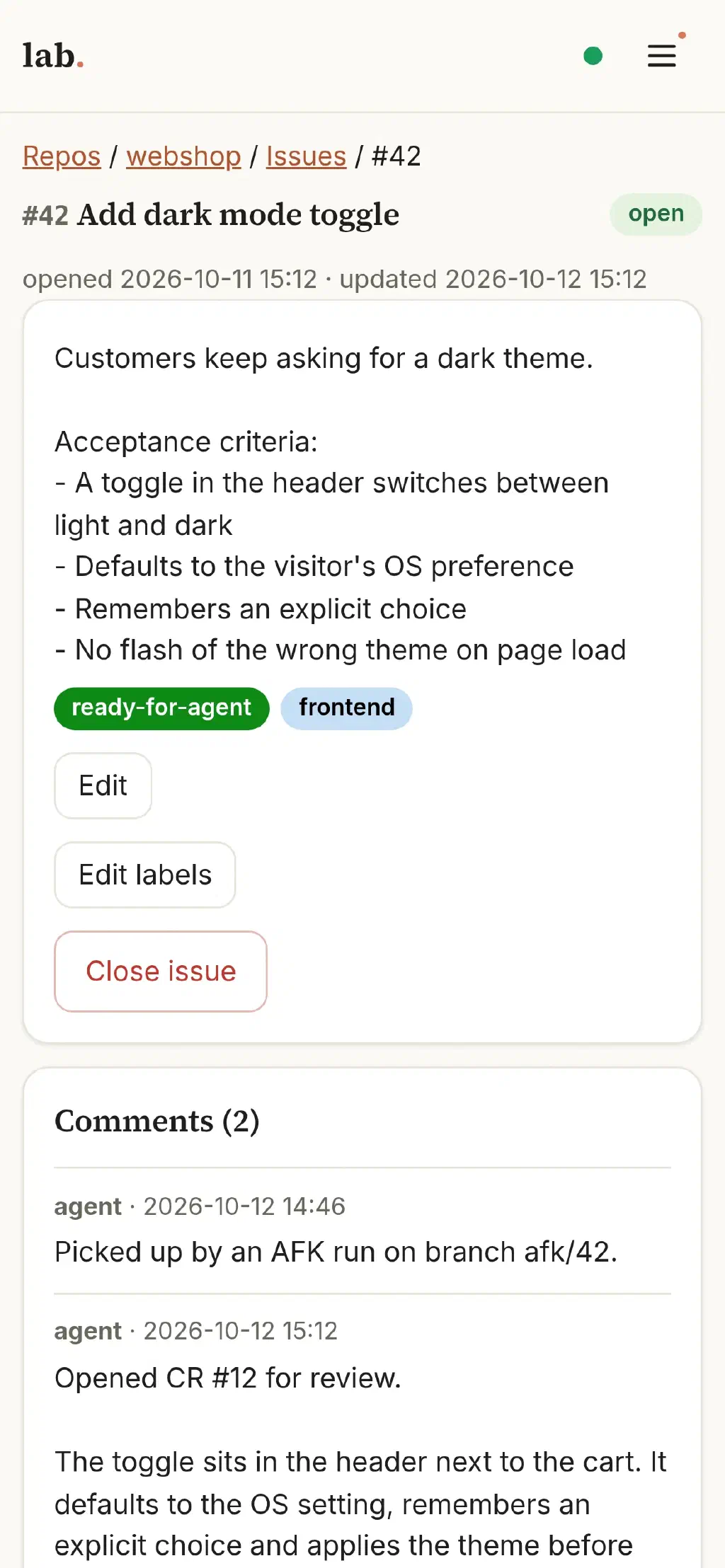
The interface is built for smartphones and can be installed as an app.
All running sessions and AFK runs at a glance 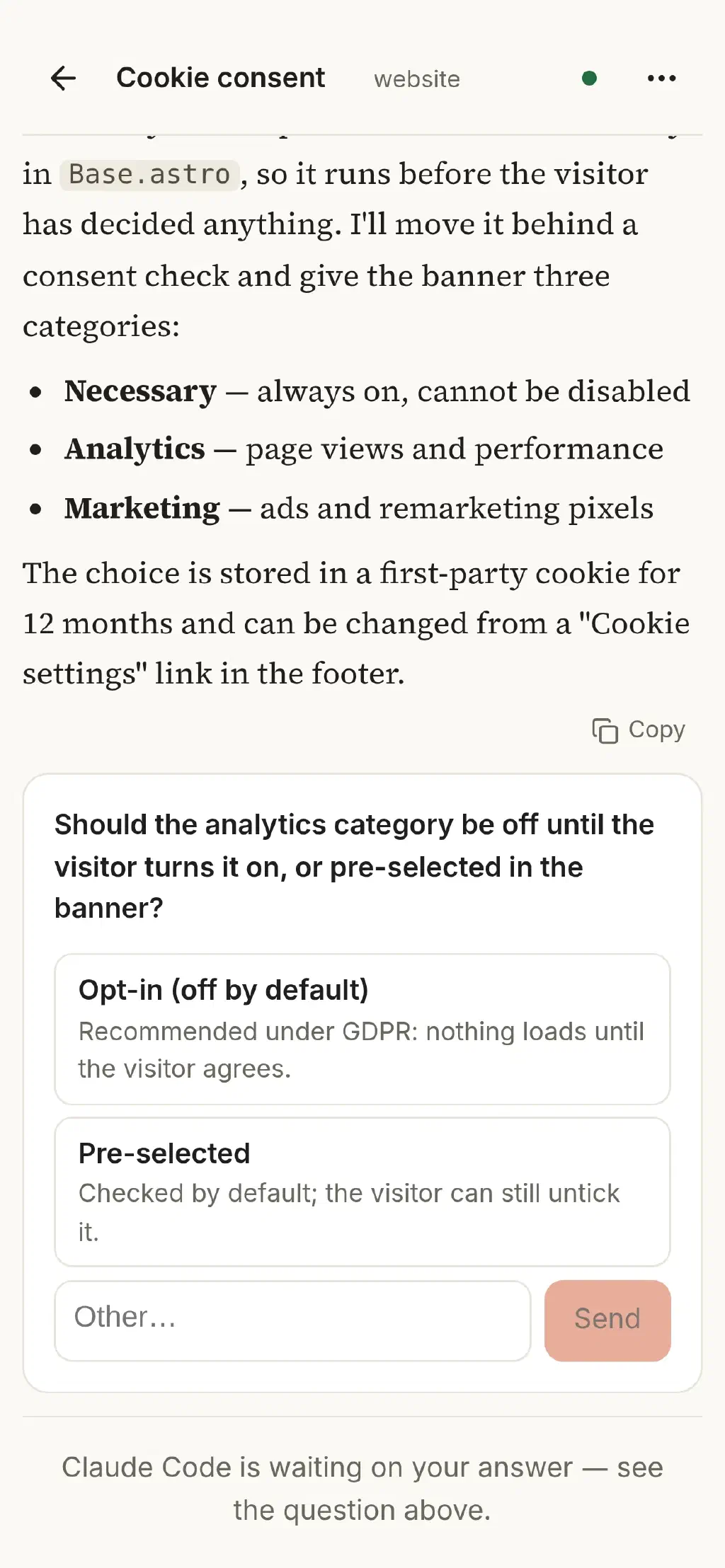
Answer the agent's questions with a tap 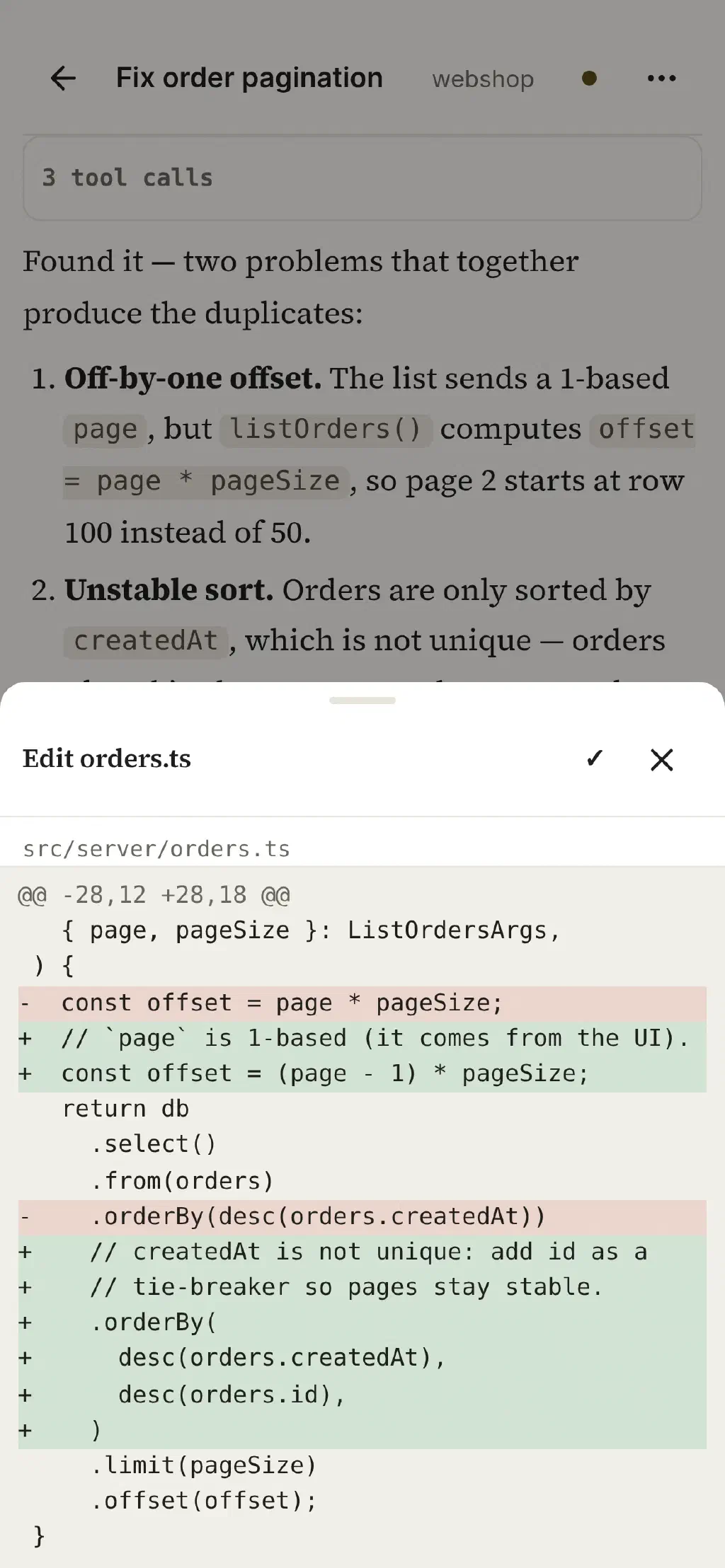
Every tool step stays traceable, down to the diff An AFK run takes over the issue and reports its progress 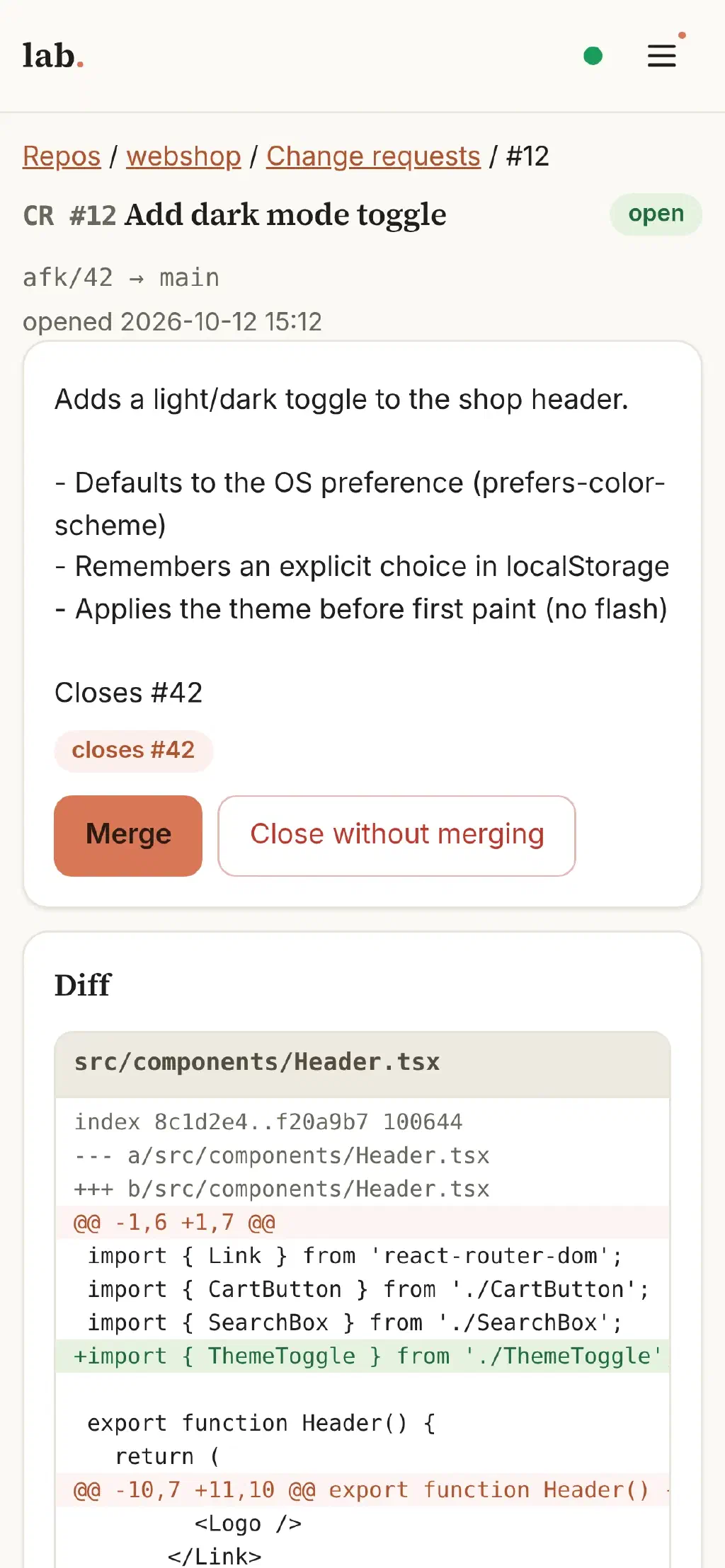
Review and merge the result, right on your smartphone
Open source
coding-lab on GitHub.
coding-lab is licensed under the AGPL-3.0 and freely available. Would you like to use coding agents in your team and have questions about it? Get in touch.